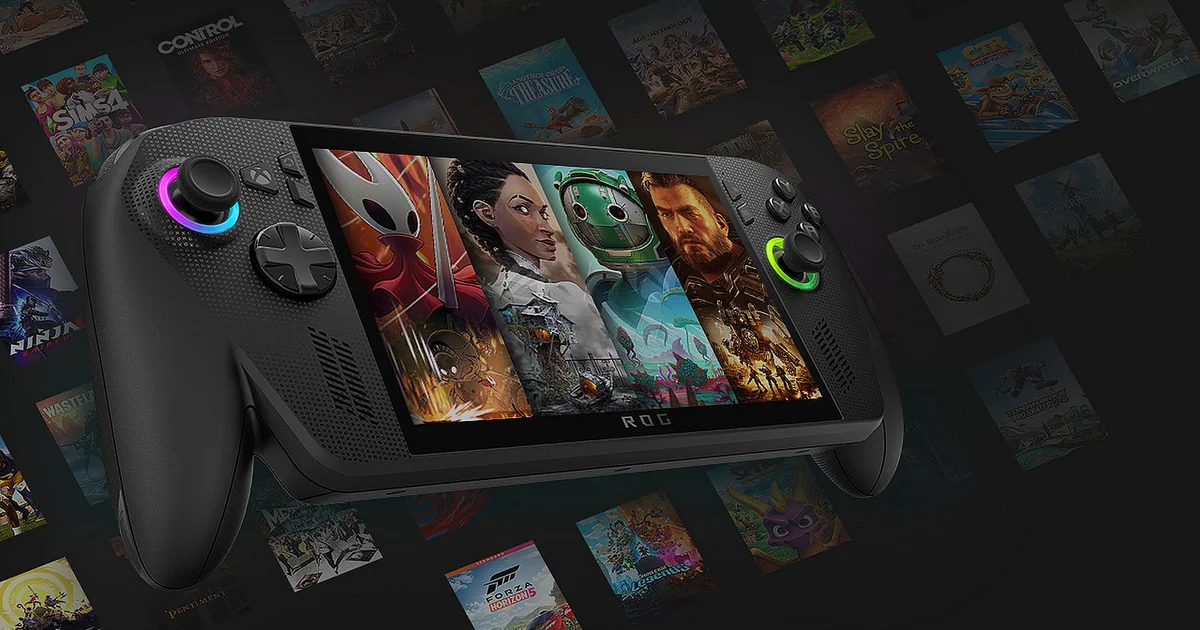
Am I interested in the ROG Xbox Ally X? Definitely. Does it give me that satisfying hit of anticipation that often comes with trying something genuinely new? More than likely. Would it replace my Steam Deck? Almost certainly. But is it basically an Xbox? Hmmm. As I write this, I actually paused to interpret the noise I made after asking that. When I typed “hmmm,” what came out was closer to a thoughtful “tsk”—the kind of sound you’d make when faced with the most baffling question imaginable. “Is this new handheld really an Xbox, or is it a PC?” I ask again, hoping that sharper tone will help me reach a clearer conclusion.
Microsoft would have you believe that anything they brand as an Xbox is automatically an Xbox—whether it’s a real Xbox, a PC, a phone, or even a VR headset—because they say so. I get the logic behind that pitch, and I understand why they frame it that way. Still, the reality is that this is a capable handheld PC wearing an Xbox-style shell; the disguise holds up fairly well for roughly 80 percent of the experience. The hurdle for Asus and Xbox is that, while you do get direct access to the Xbox (PC) store and Game Pass, you’re also free to use other storefronts—Steam, Epic, EA, Ubisoft, GOG, and Battle.net, along with basically everything else you might want. And if you feel like it, you can connect a keyboard, mouse, and monitor and treat it like an actual PC. If the Steam Deck felt a little thin on “console-like” touches, you may want to recalibrate what you expect from the ROG Xbox Ally X.
To be clear—good or bad—I’m completely immersed in the Xbox ecosystem, because I’ve been there since the beginning, aside from that rougher first stretch of the original Xbox One years, which didn’t turn in my favor until the Xbox One X arrived. The Series X is the main console in our living room; it’s the one my son uses most, and it functions as our Game Pass hub as well. In general, it delivers a better day-to-day experience than the PS5. Bottom line: I’ve spent plenty of time with “the real” Xbox and I have a large library tied to that environment.
One of the biggest factors shaping how the ROG Xbox Ally X (and the cheaper, less capable non-X version) feels day to day is the new Xbox fullscreen mode. It’s designed to create the impression of a dedicated handheld console by hiding Windows behind a simplified, console-like interface. Think of Steam’s Big Picture mode running on the Steam Deck—though this is less refined. Even though this fullscreen view does a good job keeping Windows and its apps out of sight, it isn’t always invisible; sometimes it leaks through, and at times it’s pretty noticeable.
You can find and install games from the Xbox (PC) store and Game Pass (PC) without much effort, and sticking strictly to that ecosystem gives you an interface experience that doesn’t feel wildly different from a dedicated Xbox console. The whole setup still carries that “desktop PC application, tuned for handheld use” vibe, but it also makes it seem like you’re sheltered from the sights and distractions you normally see on a Windows PC. The tricky part comes down to Xbox’s Play Anywhere idea, introduced with the promise that you could buy a game inside the Xbox ecosystem and play it across all Xbox devices. In practice, though, it misses the mark more often than it should, and it asks players to do their homework to avoid getting disappointed.

Pardon the odd carpet—I’m not a professional photographer. Still, the ROG Xbox Ally X truly is an attractive device.
Play Anywhere is an appealing concept. Since Xbox is no longer limited to a single type of console, and the message “This is an Xbox” now gets applied to PCs, phones, and VR headsets—along with the consoles people typically mean when they say Xbox—there’s a strong case for expecting Xbox games to work smoothly wherever I want to play. So far, though, it hasn’t been fully effortless. Xbox spells out which games support Play Anywhere, but if you don’t check first and you buy a ROG Xbox Ally X assuming you’ll have access to every Xbox game, you may end up running into an unpleasant surprise.
Let’s look at two standout titles from CD Projekt Red: The Witcher 3 and Cyberpunk 2077—both games I’m eager to play on this handheld. I already own both on Xbox, and they’re playable on my Xbox Series X. However, even though they’re part of my Xbox library, neither one shows up as available on the Xbox PC store, and neither is labeled as a Play Anywhere title—so I can’t play them on the ROG unless I’m willing to stream them through cloud gaming, which isn’t ideal and won’t work for every situation. I understand the reasons behind this, but it’s a risky move to market the device as “an Xbox” while delivering only limited compatibility—especially while you’re also pitching a console-like experience. That mismatch in the game lineup then nudges you toward the other PC storefronts, and the Xbox-style presentation starts to break down.
The other stores each include an app you can install. So, for example, when you open Steam, it brings up a full-screen application again—once more masking Windows. The rough edge comes when you download something and things don’t behave perfectly. I installed Ubisoft Connect using the Xbox apps interface, and at first it seemed to work—then nothing happened. A quick look at the running applications showed an installer waiting in the background. From there, I had to pick a language and then go through the familiar Windows installation prompts, including confirming the destination folder. If you come from a PC gaming background, you might not think twice about that, but console players may find these moments jarring, since they interrupt the console-like illusion.
Some ROG-specific settings also chip away at the Xbox fantasy. On the ROG device, there’s a Command Center that operates separately from the Xbox app. The toolbar version is fairly mild, but if you want deeper control, you have to open the app itself—pushing you out of the comfortable, Xbox-like flow. Updates to apps and services are handled on their own as well, rather than being managed through the main Xbox app, which is something I feel could be tied in more seamlessly.
This doesn’t bother me too much, yet I’d be holding back if I didn’t admit I’m hoping the whole experience could be offered like a console—one consistent interface, no extra friction. On PC, games are also commonly adjustable to match your preferences, which can go well beyond what console players are used to (and yes, because this is PC). Xbox has introduced what it calls Handheld Compatibility, claiming that some games can be launched instantly, without requiring changes. Is this the right way to blend a console-style experience with the familiar flexibility of PC?
Titles marked with a green badge are said to be Handheld Optimized, meaning you can jump into play right away instead of wading through settings menus. To check this claim, I started Gears of War: Reloaded (a green-badged game) and went straight into the action. It worked exceptionally well and looked great. I then tested Indiana Jones and the Great Circle together with South of Midnight—two fairly new Xbox releases aimed at this console generation. Indy launched on lower settings, but it still looked attractive on the smaller screen and ran smoothly over 30 FPS, while South of Midnight felt perfectly at home on the handheld.
How consistent performance turns out to be for every game carrying this badge will take a lot more time and careful testing, though the early signs are promising. Upcoming releases like Ninja Gaiden 4 and The Outer Worlds 2 are also listed with the green badge, and they could easily have been troublesome on the handheld. Watching what happens when you run them immediately—without special tinkering—should be interesting. On Steam Deck, Valve uses a similar approach to signal expected performance, but an Optimized label there doesn’t always translate into strong real-world results.
Sadly, a large share of games in the Xbox store—including titles released by Xbox itself—sit in the blue-badged Mostly Compatible group. That usually means you’ll need to tweak things to get them running well on the handheld. Examples include Doom: The Dark Ages, Halo Infinite, Avowed, Halo: The Master Chief Collection, Hellblade 2, Black Ops 6, Starfield, and The Elder Scrolls IV: Oblivion, among others. I don’t think it’s unreasonable to expect these games—whether they come from Xbox or its partners—to be set up for the ROG in a way that’s ready to go. That’s exactly the sort of expectation I’d have from an official Xbox product.
I’m not going to go too deep into performance analysis, but I did spend a good chunk of time testing a range of current-gen games without the green badge on the ROG Xbox Ally X. I compared them against my dependable basic Steam Deck—a modern RDNA 3.5 Z2 Extreme setup versus an older RDNA 2.0 GPU. Titles such as Avowed, Hellblade 2, Dead Space, Doom: The Dark Ages, Avatar: Frontiers of Pandora, and Borderlands 4 cover a broad spread, and most run poorly on the Steam Deck, or they can be brought into “okay” territory only by making big graphic compromises. With minimal tweaking, I was able to get all of them running smoothly on the ROG without dropping all the way to the lowest settings.
Hellblade 2 is striking to look at, and on the ROG it’s capable of running in a surprisingly strong way.
If you’re considering a ROG Xbox Ally X after spending time with a Steam Deck, I’d expect it to be a meaningful upgrade—especially for newer, heavier titles—so games that previously felt out of reach become fully playable. On the other hand, if you’ve already moved on from a Deck to a PC handheld using an earlier-generation Z1 Extreme chip—like the ROG Ally X or the Legion Go—the improvements may be harder to spot. (And yes, it can get a little confusing.)
When the ROG Xbox Ally X becomes available, I expect the Z1 Extreme model to show up pre-owned at roughly £400–£500. But are you really getting an extra £300–£400 worth of performance? A lift of about 15–30 percent in frame rate could mean, for example, a game sitting in the low 50s might land around 60 FPS, while a title that struggles to hold 30 FPS could clear that bar. In the end, the usefulness of the added horsepower will depend heavily on the games you actually play. Take Borderlands 4: it needs the extra performance from the ROG Xbox Ally X to stay enjoyable. There’s also a good chance performance improves further as new drivers roll out, which would widen the advantage.
At £800, this isn’t a budget handheld—by comparison, the basic Steam Deck costs £349. The ROG Xbox Ally X delivers more raw power than a Steam Deck, and that translates into a better experience with demanding releases. You also get a standout VRR 120Hz display and improved battery life, as long as you don’t push the GPU to the max (I reached about 90 minutes during peak performance, but over six hours with less demanding games). Still, it doesn’t feel as “premium” as you might expect. For some people, the biggest drawback is the lack of an OLED screen, which is often a cost-saving factor. That wasn’t a problem for me—neither my Deck nor Switch 2 uses OLED—but if you’re moving from a handheld that does, that omission may feel frustrating.
While the Lenovo Legion Go 2 and MSI Claw A8 can deliver similarly strong handheld results, the ROG comes out ahead when it comes to pricing. The Claw A8 has a bigger screen for an extra £50, whereas the Go 2 brings a larger OLED display plus additional memory for another £100. That said, the ROG feels without question the most comfortable rugged handheld I’ve used, largely because of its grips styled after the Xbox controller. Of course, it’s still a bit bulky for quick trips on public transport, much like you might have experienced with a Nintendo DS, but for longer sessions I’d rather take the ROG Xbox Ally X than the Steam Deck or the upcoming Switch 2.
Being budget-minded is pretty common in tech right now, but it’s worth pointing out that this £800 unit doesn’t include a case. Even the cheapest Steam Deck includes one, while the official ROG case costs £60. On top of that, the included stand is just a thin molded piece of cardboard, which feels a little underwhelming given this is aimed at the premium tier. You’ll also pay extra for a docking setup, though you can still plug it into a TV using a USB to HDMI cable—using the cardboard stand too, if you’d rather avoid spending more. If you’re prepared to go further, though, there’s a way to turn the handheld into a more compact performance machine: the ROG XG Mobile (2025) external GPU is £1400 and is designed to match the performance level of a GeForce RTX 5090 Laptop GPU. Once connected, and then paired with a TV or monitor, you unlock a much stronger gaming setup.
It’s also important to note that Xbox is planning to roll out improved upscaling via Automatic Super Resolution (Auto SR). This option leverages the built-in Neural Processing Unit to boost lower-resolution visuals to higher resolution when you’re using larger screens. However, it won’t arrive until early 2026, so for the moment how effective it will be is still unclear.
Back to the bigger question: is the ROG Xbox Ally X truly an Xbox, and does that distinction matter in practice? The honest response comes down to how much you’ve used an Xbox-like setup and what you expect from the experience. For me, even though the ROG Xbox Ally X hints at what could be a console-style device, it still clearly functions as a PC. That brings a few quirks, but it also offers benefits worth weighing. Ideally, you’d want a full Xbox ecosystem without needing to tweak settings for individual games—but having access to every PC gaming platform, with downloaded titles gathered into one straightforward app, can make the compromises feel worthwhile if your interest is more PC gaming than Xbox gaming.
In the end, the decision comes down to whether you think £800 is a sensible spend for a handheld that can play the newest, demanding games. Still, it’s essentially the price you pay to get this kind of performance. To sum up, I genuinely value what the ROG Xbox Ally X brings. It isn’t a real Xbox handheld console, but for many people it may well be the more flexible— and better—option.
A ROG Xbox Ally X was provided by Xbox for review.